Scopes & permissions
A scope is a named action an agent can take on a platform. Scopes are AgentValet’s unit of permission.
The rule
An agent can perform an action only if you have explicitly granted that scope to that agent for that platform, and the policy that applies to it allows it.
There is no implicit access, no inheritance from one platform to another, no “admin” bypass. Each agent has one grant row per platform (or per connection) listing the scopes it holds; if the scope isn’t on the row, the action is denied. The grant is only half of it: the agent’s policy must also cover the scope, and a policy or guardrail deny beats any grant. An agent with no policy assigned is denied every call (no_policy_assigned).
This is what we mean by deny-by-default.
Scope names vary by platform
AgentValet doesn’t impose a uniform scope syntax. Some platforms use their own OAuth scope names, so the scope you grant matches the platform’s API docs; others use AgentValet catalog ids of the form platform:resource.action, each mapped to the endpoints it covers. Whatever the form, the agent passes the exact string it was granted.
| Platform | Example scopes |
|---|---|
| Slack | chat:write, channels:read, users:read.email |
| Airtable | data.records:read, data.records:write, schema.bases:read |
| Gmail | https://www.googleapis.com/auth/gmail.readonly, https://www.googleapis.com/auth/gmail.send |
| Stripe | stripe:customers.read, stripe:invoices.write, stripe:refunds.write |
| GitHub | github:repo.read, github:contents.write, github:issues.read |
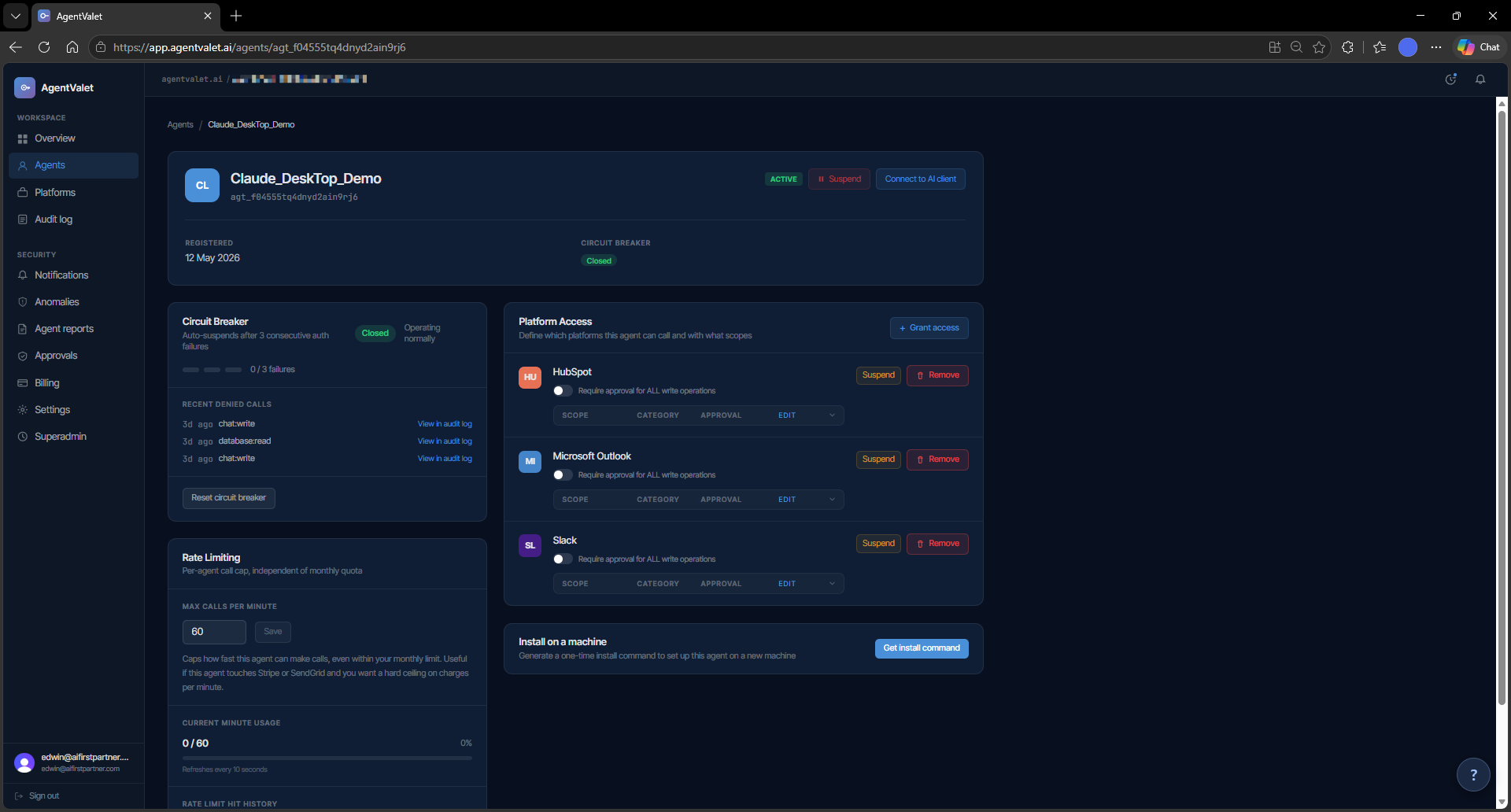
The full catalog for a given platform shows up in the + Grant access form when you grant access to an agent.
The approval toggle
Every grant row carries a single boolean: require_approval. When it’s on, every call the agent makes through that grant — reads included — queues for human approval. When it’s off, calls go through immediately (subject to policy and the platform itself responding).
You set it per grant (agent + platform), not per scope. For per-scope control, use an Ask first rule in the agent’s policy or a guardrail instead. The right setting depends on what the scopes do — and that’s your judgement call. Some rules of thumb:
- Read scopes: usually safe to leave auto-approved.
- Write scopes that produce content (post a message, create a draft): require approval at first, drop it once you trust the agent for that surface.
- Destructive scopes (send, delete, charge, archive): keep approval on. This is the cheapest insurance the product offers.
The grant toggle doesn’t enforce these defaults for you. Policies and guardrails can: a rule that asks first (or blocks) for scopes tagged destructive or financial holds those calls whatever the grant says. Without such a rule, if you want a destructive scope to bypass approval, the system will let you. We strongly recommend you don’t.
Granting scopes
You grant scopes one of two ways:
- In the dashboard. Open the agent, click + Grant access, pick a platform, select the scopes you want, decide whether approval is required. Save.
- At registration time (legacy path). An agent registering through the older owner-approved flow (
/v1/register, used by MCPB invites) can request a set of scopes up-front, which you review when you approve it — never more than the agent asked for. The default CLI installer requests none: the new agent starts with no grants.
You can revoke any scope at any time. The agent’s next call using that scope returns scope_not_granted immediately.
What’s recorded
Every scope check — whether the action ran, was queued for approval, or was denied — writes a row to the audit log with:
agent_id,platform_id,scope- The decision (
allowed,pending_approval,denied) - The reason (e.g.,
scope_not_granted,circuit_breaker_open,approval_required_by_policy) - A
correlation_idyou can trace back through downstream logs
You can review these on the Audit page. This is the answer to “what did this agent try to do, and what did we let it do?”
Common patterns
- Read-only agent. Grant read scopes across all the platforms it should observe. Approval off — there’s no risk surface. Good for monitoring, summarisation, reporting.
- Drafter agent. Read scopes + write scopes with approval on. The agent drafts; you approve every output before it lands.
- Trusted automation. Read + write with approval off for the scopes you’ve watched it use safely, approval on for anything destructive. Suitable for an agent you’ve operated for a while.
- Privileged operator. Broad scopes including destructive ones, all with approval on. The most a single agent should normally hold.
To whom, not just what
A scope says what an agent may do. Two further controls say who it may reach, both enforced by the broker on the real call because they need the request body:
- Recipient constraints on a grant: allow-list the Slack channels, email addresses or domains, or Drive sharing modes that grant may reach. A violation is a refusal, never an approval. Studio and above. See Restrict who an agent can send to.
- External sends control, org-wide: every call on a mail, calendar, drive or Slack platform is stamped
internal,externalorunknownon every plan; Studio and above can make external sends ask you first or block. See Control messages that leave your organisation.
Sub-agents: child identities with attenuated scopes
An agent can mint a short-lived child identity for a subagent it is about to spawn, with its own scope slice that can never be wider than the parent’s own current grants. See Child agents for the mint flow, the attenuation semantics, and the honest caveats.
Scope classification
Catalog scopes carry built-in tags: read, write, destructive, pii, financial and admin (you can add your own under Governance → Tags). Policies and guardrails can target a tag instead of naming every scope, which is how “ask before anything destructive” is written once and applies across platforms. Scopes the catalog doesn’t tag get no built-in tags, so check the tags on a platform before relying on a tag rule for it.